Guide
How to Choose a Microphone Boom Arm for Your Desk
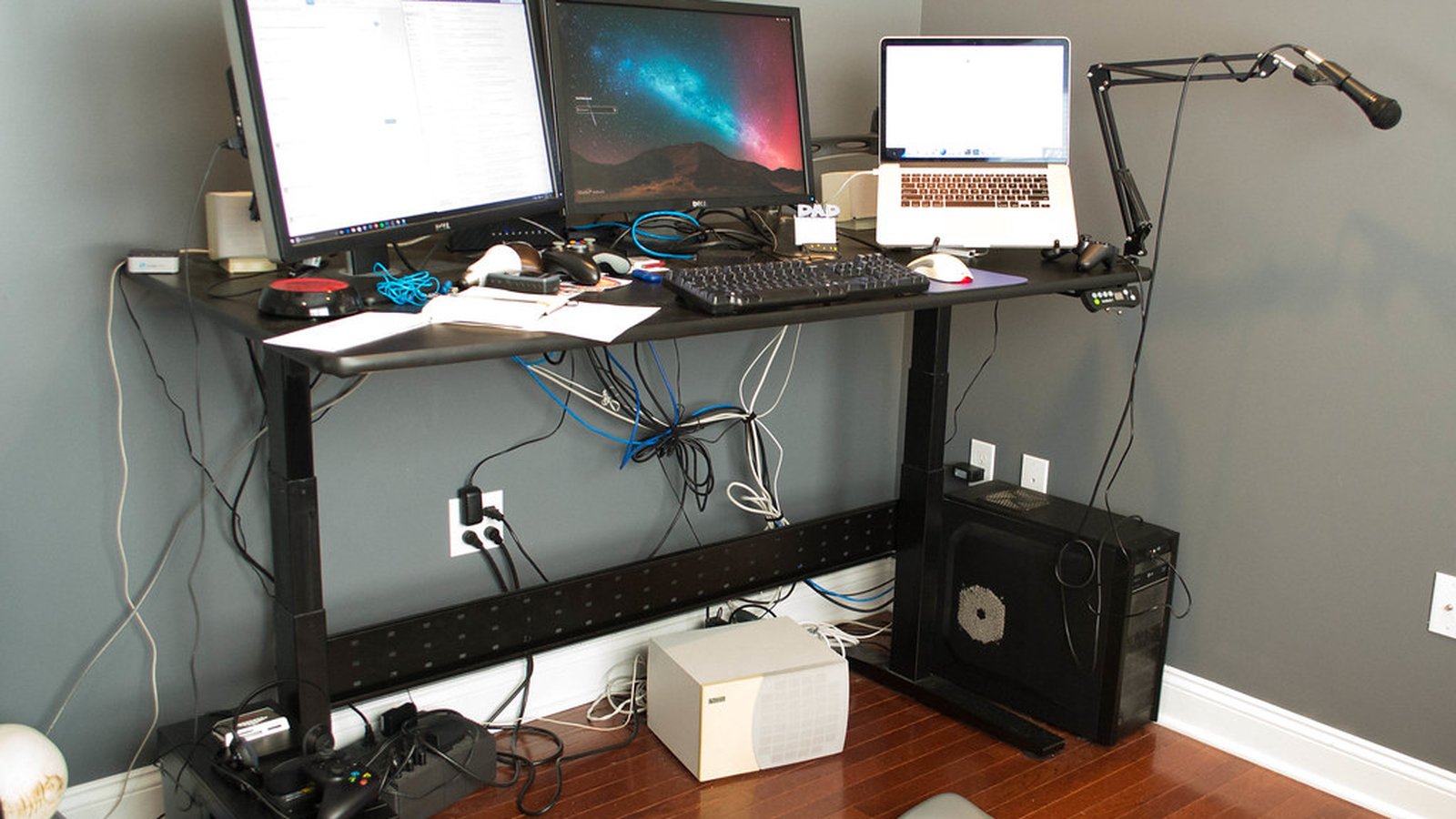
A desk mic on a stand sits where the desk lets it sit, not where the voice is. Push the keyboard forward and it’s in the way; pull it back and it’s picking up the room. A boom arm takes the mic off the surface entirely and holds it in front of the mouth, then swings out of the way when it isn’t needed. That only works if the clamp grips the desk it’s mounted to and the spring tension holds the specific microphone bolted onto it. An arm that’s wrong for either one droops, wobbles, or simply doesn’t fit.
Clamp thickness range decides whether it fits the desk edge at all
Boom arm clamps are rated for a specific range of desk thicknesses, and a desk that falls outside that range either won’t let the clamp close or will leave it too loose to hold the arm’s weight securely. Thicker desks, especially ones with a raised lip or a monitor arm grommet already occupying part of the edge, can rule out a clamp that fits a standard desktop just fine. Checking the clamp’s minimum and maximum thickness against the desk’s actual edge, measured directly rather than guessed, is the first thing to confirm before anything else about the arm matters.
Load capacity has to clear the microphone’s actual weight
A boom arm’s spring tension is tuned to a weight range, and a microphone heavier than what the arm was designed for will sag downward over time even if it holds position when first mounted. Lighter microphones can have the opposite problem, since an arm tuned for a heavier mic may not lower easily or could bounce back up when let go. Weighing the microphone, including its shock mount if it uses one, and checking that figure against the arm’s rated capacity avoids an arm that either can’t hold the mic up or fights against being adjusted.
Spring tension determines how well it holds a set position
Adjustable tension springs let the arm be tuned for a specific microphone’s weight after mounting, which matters since even microphones within a boom arm’s stated range can behave differently depending on how the weight is distributed. An arm without adjustable tension only works well for whatever weight the factory setting was tuned to, so a microphone slightly outside that range can end up drifting down or requiring extra force to move. This is a spec worth checking directly rather than assuming a listed maximum weight capacity guarantees a smooth, stable hold at every weight up to that limit.
Internal cable routing keeps the desk from turning into visible cable spaghetti
A boom arm with a hollow internal channel lets the microphone’s XLR or USB cable run invisibly from the mic through the arm and clamp down to the desk, instead of hanging loose alongside the metal frame. An arm like this IXTECH microphone boom arm uses a folding scissor design with a desk clamp and a full 360 degree rotation range. Folded, it stays compact. The cable still runs along the outside of the frame, so anyone who wants it fully hidden should confirm internal routing rather than assume a folding arm includes it.
Reach and desk footprint decide how much room it leaves for everything else
A boom arm’s horizontal reach has to extend far enough to bring the microphone to a comfortable position without the clamp itself sitting in the way of a keyboard or monitor stand. A scissor-style arm folds flat against the desk edge when not in use, which frees up desk space compared to a fixed-position arm that stays extended at all times. Check the arm’s folded and fully extended dimensions against the desk’s actual layout, including whatever else is clamped to the same edge. That avoids an arm that works in isolation but crowds everything once mounted.
Thread size compatibility is the last checkbox, not the first
Most boom arms end in a standard 5/8 inch thread, often with a 3/8 inch adapter included, which covers the vast majority of microphones and shock mounts sold for desk use. A microphone or shock mount using a different thread size will need its own adapter, and it’s worth confirming that detail before assuming any boom arm will accept any microphone out of the box. This is a smaller detail than clamp fit or load capacity, but it’s the one that gets discovered right at setup if it’s skipped over during the buying decision.
Getting a boom arm right starts with the clamp fitting the desk and the spring holding the microphone’s actual weight, since those two things decide whether the arm works at all. Cable routing, reach and thread size are what determine how clean and convenient the setup feels once the arm is mounted and holding steady.
