Guide
How to Make a Desk Setup Quieter Without Replacing Everything
Desk noise is the problem people put up with longest, because there is no single moment where it becomes unbearable. The fan curve creeps up over a couple of years of dust, the desk starts buzzing at one particular frequency, and eventually you are wearing headphones in a quiet room to block out your own computer.
The useful thing about desk noise is that it is rarely one source. It is usually three, stacked, and the loudest one is often the cheapest to fix. So the order below is deliberate: work through it top to bottom and stop when the room is quiet enough, rather than starting with the part that is most fun to shop for.
Find out what is actually making the noise
Do this before anything else, because almost everyone guesses wrong. Boot the machine and let it idle. Then, one at a time: stop the case fans with a finger for a second or two, unplug the drive if it is a spinning disk, and lift the tower off the desk onto a folded towel. Each of those takes a moment and tells you more than an hour of reading.
Pay attention to the type of sound as well as the volume. A broadband whoosh is air, and air is a fan curve problem. A narrow whine or hum is usually electrical, coming from coils on the graphics card or power supply. A rattle or buzz that comes and goes with load is almost always something vibrating against something else, and that one is free to fix.
The desk is usually the amplifier, not the source
A tower sitting directly on a hollow desk turns the whole desk into a speaker. The fan is not louder, it just has a bigger surface to move air against. This is the single most common cause of a setup that sounds worse than its parts should.
Moving the tower to the floor fixes it outright. If it has to stay on the desk, put something soft and dense under it. Rubber feet, a folded mat, or a cheap pad all work; the point is to break the direct contact rather than to absorb the sound. The same trick works for anything else that touches the desk and vibrates, including external drives and some speaker stands.
While you are down there, check for panel rattle. Press gently on each side panel of the case with the machine running. If pressing on one makes the noise stop, the screw on that panel is loose or the panel needs a strip of foam where it meets the frame.
Fans: settings before hardware
Fan noise scales sharply with speed, so a fan running at 60 percent is dramatically quieter than the same fan at 90 percent, not slightly quieter. That means the fan curve is worth adjusting before any fan is worth replacing.
Most motherboards let you set a curve in the BIOS, and the default is usually tuned to be safe rather than quiet. Raising the temperature at which fans start ramping, and making the ramp gradual instead of stepped, removes the constant up-and-down that draws attention even at low volume. A fan holding steady at a moderate speed is much less noticeable than one that keeps changing.
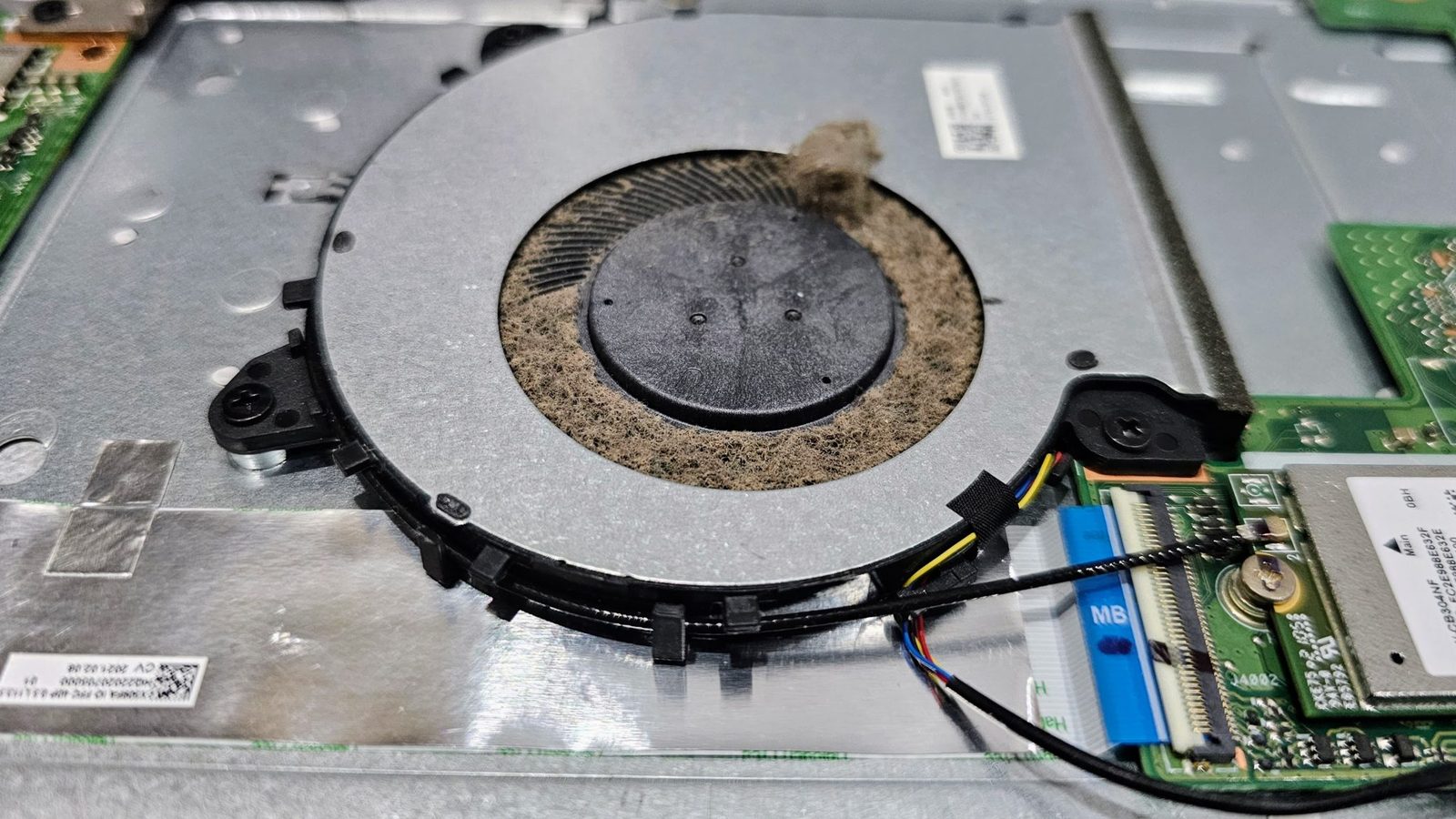
Dust is the other half of this. A heatsink clogged with dust makes the fan work harder for the same cooling, which means the curve you set is now running at higher speeds all the time. If it has been a year or more, clean before you tune, or you will be tuning around a problem you could have removed.
Keyboard noise: what changes it and what does not
Switch type matters less than people expect once a board is already built. What actually changes the sound is the empty space inside the case, the plate the switches sit on, and whether the keycaps are hollow.
The cheapest meaningful change is filling the case. Shelf liner or thin foam cut to shape and laid in the bottom of the case removes most of the hollow ring, and it costs almost nothing. Heavier keycaps deepen the sound. Switching to quieter switches helps too if the board is hot-swappable, but it is the most expensive option here and rarely the biggest difference.
Also worth checking: whether the board is sitting on the desk or on a mat. A desk mat under a keyboard does for typing noise what the pad under the tower does for fan noise, and most people already own one.
The chair, the floor and the parts you forget
A chair that creaks under small shifts of weight will interrupt more than a fan that hums steadily, because it is intermittent and tied to your own movement. Most creaks are a bolt that has worked loose over a year of use, and tightening everything you can reach takes a few minutes.
Casters are the other common one. Hard wheels on a hard floor make a noise every time you move, and a mat under the chair removes it. If the floor is hollow or the room is above someone else, this one matters more than anything else on this page.
If you rent and cannot modify anything
Everything above is reversible, which is deliberate. Nothing here involves drilling, mounting or permanent changes. The floor mat, the pad under the tower, the fan curve and the tightened bolts all come with you when you move.
The one thing worth adding for a rented room is soft material on the wall the desk faces, since a bare wall directly in front of a desk reflects sound back at you. A fabric wall hanging or even a curtain does most of what a purpose-made panel would, and neither one leaves a mark.
What to spend money on, in order
If the free steps did not get you there, the order that gives the most quiet per dollar is roughly: a mat under the chair, then case fans, then the CPU cooler, then the power supply. Fans are the cheapest real upgrade and usually the biggest single improvement.
Graphics card coil whine is the exception, because it is not really fixable without replacing the card, and it varies between individual units of the same model. If that is the noise bothering you, know that before spending anything else: no amount of fan tuning or padding will change it.
